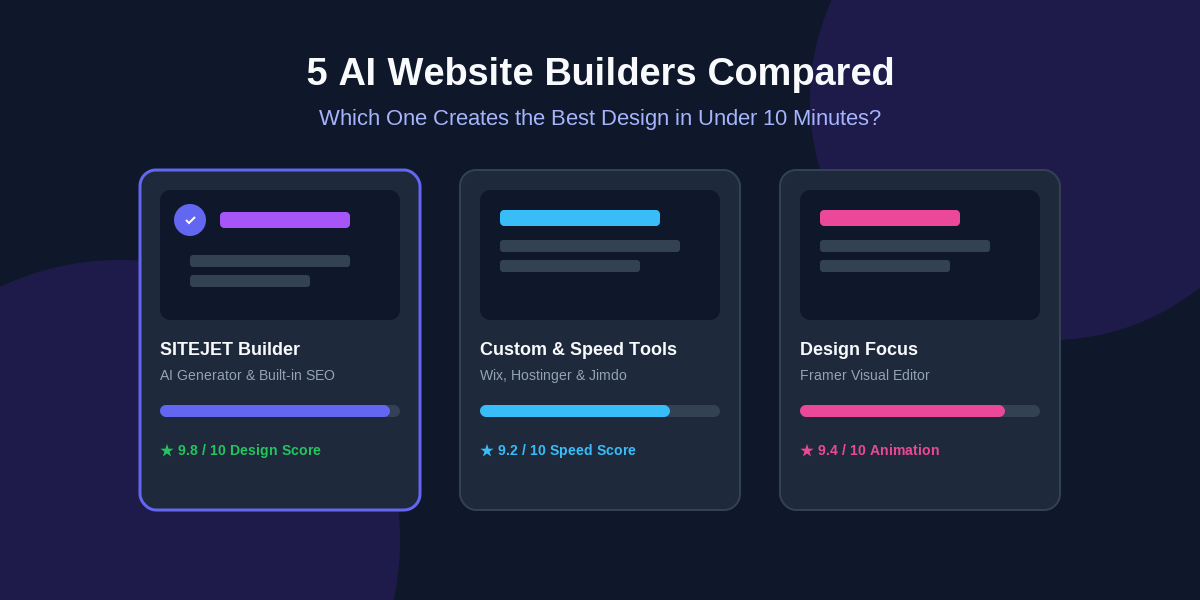
Finding the right website builder takes more than comparing how fast it generates a homepage. A great design should look professional, feel easy to personalize, and support your goals as your website grows. In this comparison, we test five leading AI-powered platforms to see which website maker creates the best-looking website in under 10 minutes for beginners and small businesses.

Key Takeaways
- Every AI website builder can create a website in minutes, but design quality varies.
- Hostinger and Jimdo focus on speed and simplicity.
- Wix and Framer offer greater creative freedom.
- SITEJET Website Builder balances AI design, built-in SEO, and business-ready tools.
- Choose a platform that fits your goals, not just your budget.
5 AI Website Builders Compared
Here's how these five platforms compare when speed, design, and usability matter most:
1. SITEJET Website Builder
SITEJET Website Builder uses its AI Website Generator to create a structured website in minutes that is ready to refine. At the same time, the AI Writer helps you fill pages with relevant starter content while professionally designed templates and reusable sections keep every page consistent.
You also get hosting, SSL, analytics, and XOVI-powered SEO tools in one platform, so there's less to configure before launch. If you decide to sell online later, you can just add commerce when your business is ready.
Pros
- Built-in AI tools, XOVI SEO, hosting, SSL, and analytics reduce setup time
- Optional commerce makes it a practical choice for growing businesses
Cons
- Larger online stores require the ecommerce add-on
- Team collaboration and client management are available in Sitejet Studio, not SITEJET Website Builder
2. Wix
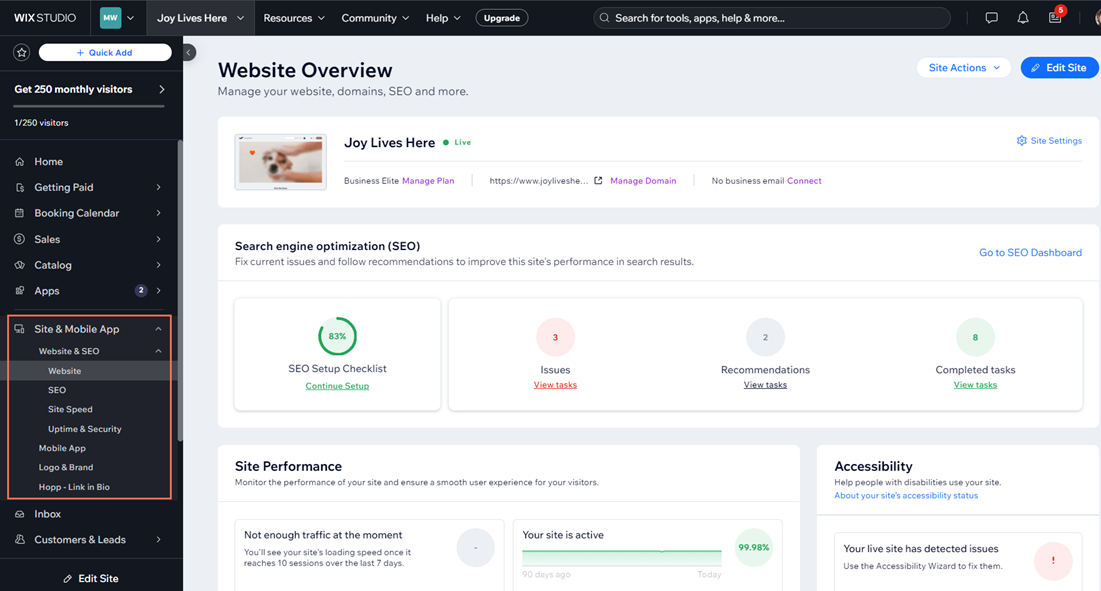
For users who enjoy shaping every detail, Wix offers plenty of creative freedom after its AI creates the first draft. It guides you through a conversation before generating a website, then opens the door to hundreds of templates, apps, and design controls.
Even so, moving through its extensive dashboard and feature library can take extra time when your goal is to publish quickly.
Pros
- AI setup creates a personalized starting point
- Extensive templates and customization options
Cons
- Large dashboard can slow down first-time users
- Too many editing choices may delay a quick launch
3. Hostinger
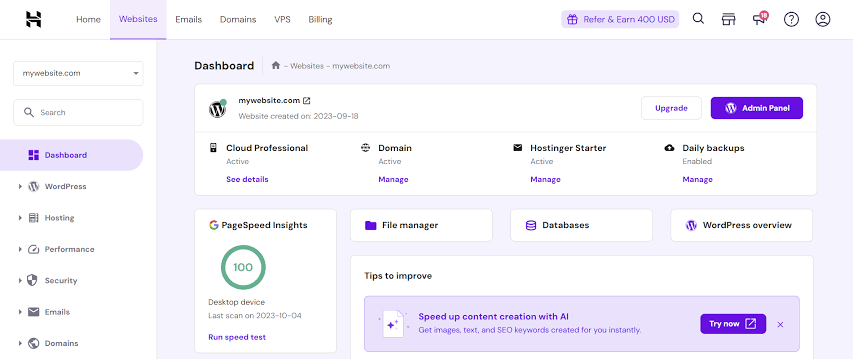
When getting online quickly is the priority, Hostinger keeps the process refreshingly simple. Its AI asks a few basic questions before generating a ready-to-edit website, which is helpful for first-time users and small businesses.
The editor stays clean and straightforward. Fine-tuning the layout, however, can feel limiting if you want a more distinctive design or greater creative control.
Pros
- Fast AI setup with an editor that's easy to navigate
- Budget-friendly for basic business websites
Cons
- Limited control over detailed layout customization
- AI-generated designs may feel less distinctive than some competitors
4. Jimdo
If your goal is to publish a basic business website quickly, Jimdo keeps the process moving. Instead of asking you to build page by page, it works like a guided questionnaire that turns your answers into a ready-made website. This makes it a suitable online website builder for first-time users.
The trade-off appears when you want to shape the design around your brand, as layout choices remain fairly limited.
Pros
- Fast onboarding with very little learning required
- Well-suited for simple brochure-style business websites
Cons
- Limited flexibility for custom layouts and branding
- Rigid page structures can restrict creative control
5. Framer
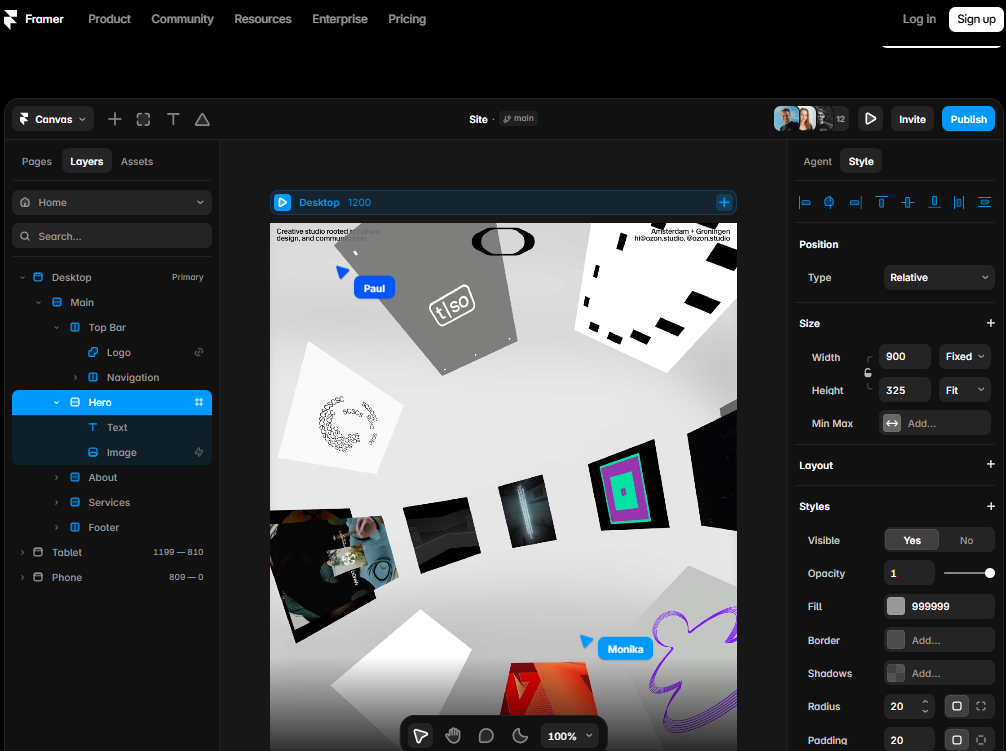
Framer delivers some of the most polished AI-generated designs. Smooth animations, modern layouts, and refined typography help websites stand out from the start. That creative power comes with a learning curve, though.
Framer feels closer to a professional design tool than a beginner-friendly online web builder, making it better suited to designers or experienced creators.
Pros
- Produces modern, visually polished websites with impressive animations
- Offers extensive creative freedom for design-focused projects
Cons
- Steeper learning curve than most AI website builders
- Takes more time to build and customize a complete business website
Which AI Website Builder Is Right for You?
If getting online quickly matters most, Hostinger keeps the process simple. Jimdo works well for creating a straightforward business website design with minimal effort.
For portfolios and visually ambitious projects, Framer stands out. Wix gives creators plenty of room to personalize every detail.
If your goal is a professional AI-built website with built-in SEO, hosting, analytics, and room to grow, SITEJET Website Builder brings everything together in one place.
Ready to launch your first business website?
Explore SITEJET Website Builder and see how quickly you can create a polished website with AI, built-in SEO tools, secure hosting, and flexible editing.
Frequently Asked Questions
1. Which is the best website builder?
Hostinger suits quick launches, Jimdo is ideal for beginners, Framer focuses on design, and Wix offers creative flexibility. SITEJET Website Builder stands out with AI tools, built-in SEO, hosting, and analytics.
2. How much does a website builder cost?
Costs vary by platform and plan. Starter plans are usually affordable, while ecommerce and advanced features may cost extra. Compare what's included, such as hosting, SSL, and SEO tools.
3. Can AI build a website?
Yes. AI can generate page layouts, starter content, and a complete website in minutes. You can refine the design and content before publishing.
4. What website builder is best for beginners?
SITEJET Website Builder, Jimdo, and Hostinger all offer beginner-friendly experiences.
5. How do website builder platforms handle search engine optimization?
SEO features vary by platform. Some rely on third-party plugins, while others include native SEO tools. For instance, SITEJET Website Builder offers XOVI-powered SEO tools.